

Your cart is empty.
Revit 2022-2027
Greater BIM
$30.00
The Greater BIM add-in streamlines Revit workflows with powerful automation tools for MEP and BIM coordination. It allows you to bend ducts, pipes, cable trays, and conduits at standard angles of 30°, 45°, 60°, or 90° in upward, downward, left, or right directions directly within Revit’s 2D and 3D views. In addition, it enables you to control grid bubble placement with ease by swapping or applying bubbles to both ends of grid lines in just a few clicks. The add-in also allows you to recreate plan, section, and 3D views from linked models while preserving key view properties such as view range, scale, detail level, visual style, and other essential settings ensuring consistent, high-quality, and fully coordinated BIM outputs with minimal manual effort.
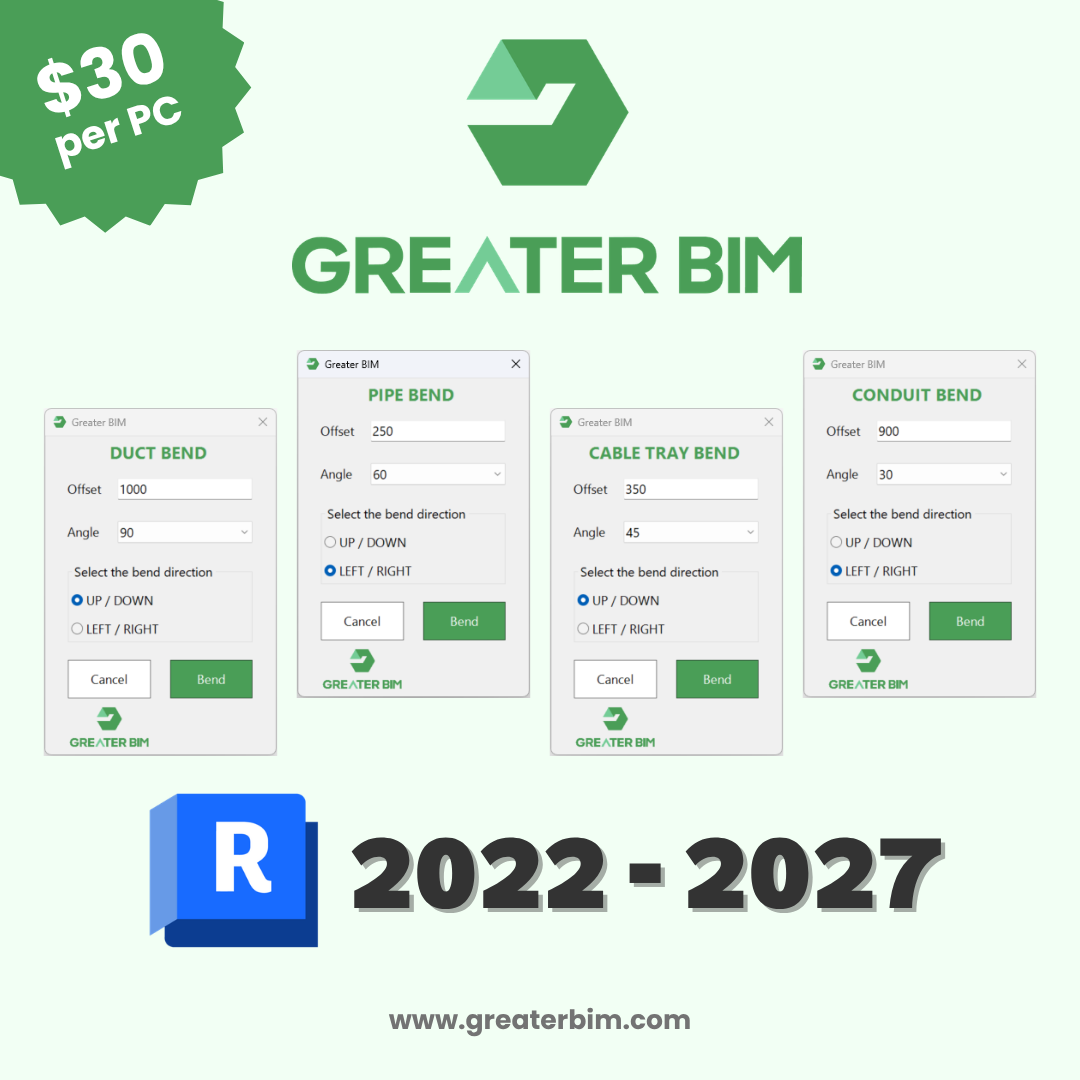
Greater BIM is a powerful Revit add-in designed to simplify and accelerate MEP modelling workflows. The tool allows users to bend ducts, pipes, cable trays, and conduits at standard angles of 30°, 45°, 60°, or 90°, in upward, downward, left, or right directions, directly within Revit’s 2D and 3D views.
Instead of cutting sections or manually adjusting elements, Greater BIM generates precise bends instantly, helping maintain modelling accuracy and efficiency. It works seamlessly in both floor plan and 3D views, enabling BIM professionals to modify MEP systems efficiently at any project stage.
How It Works
- Split the duct, pipe, cable tray, or conduit at the desired location.
- Select the segment between two fittings.
- Run the Bend command to generate the bend automatically.
The add-in instantly applies the chosen bend with accurate geometry, eliminating manual adjustments or the need for section views.
Key Features
- Supports duct, pipe, cable tray, and conduit elements.
- Bend up, down, left, or right at 30°, 45°, 60°, and 90°.
- Works in both 2D and 3D Revit views.
- Copy plan, section, and 3D views from linked models.
- Grid bubble toggle and control tools.
- Produces consistent, accurate results every time.
- Improves workflow speed and reduces repetitive work.
- Designed for BIM Modelers, Coordinators, and MEP Engineers.
- Compatible with Revit 2022, 2023, 2024, 2025, 2026, and 2027 versions.
Benefits
Greater BIM enhances productivity by automating repetitive bending tasks in Revit. With just a few clicks, users can produce accurate MEP bends without the need for detailed manual alignment. This results in cleaner models, faster delivery, and reduced coordination time across disciplines. Experience faster, smarter MEP modelling with Greater BIM the smart way to bend ducts, pipes, cable trays, and conduits in Revit.
Additional Tools
- Grid Bubble Toggle
Quickly swap grid bubbles from one end to the other or apply bubbles to both ends of grid lines. This helps maintain clean and consistent grid presentation without manual adjustments. - Copy Linked Plan View
Copy plan views from linked models, including scope box views, while preserving the exact view scale, detail level, and visual style. - Copy Linked Section View
Create section views from linked models with matching far clip offset, view scale, detail level, and visual style to ensure consistency across documentation. - Copy Linked 3D View
Copy 3D views from linked models while maintaining the same view scale, detail level, and visual style for coordinated and aligned models.
Trial Description
The Greater BIM add-in is available with a free 30-day trial, allowing you to fully explore all features before making a purchase decision. The trial version provides complete access to the tool, so you can evaluate its performance in your real Revit workflows. Once the 30-day trial has expired, you can purchase a licence to continue using the add-in. Licences are available directly from our website at www.greaterbim.com and on the Autodesk App Store. Greater BIM is a one-time purchase with no recurring fees, giving you long-term value without ongoing costs.